

Enshrouded Server Hosting
Try 2 days free. No credit card required.
Enshrouded 1.0 ready. PlayStation 5 support, uncapped RAM, instant setup, and 24/7 human support. Servers in NA, EU & Asia.
Sign-up form
All our servers come with
-

Human support
-

Full file access
-

7-day refund policy
-

At least 128gb RAM
-

Simple control panel
You might not care about these too...
Manage Your Server From Discord
Check status, restart servers, and manage your game servers without leaving Discord.
Launch your Enshrouded server in under 60 seconds
Get started in 3 easy steps
Choose Your Plan
Pick from 25+ supported games. Select your server size based on players.
Pick Location
Choose from data centers across North America, Europe and Asia for lowest ping.
Launch
Jump right in or delve into advanced settings. Your server launches in no time.
Happy indifferent gamer testimonials
Join Our Discord Community
Chat with 17,000+ indifferent gamers, get support, or just lurk. Whatever.

indifferent broccoli
Just wanted to say I really appreciate the timely response to server issues. Excellent service.
Just wanted to say how amazing indifferent broccoli! They are always do their best to accommodate And help everyone. Never knew Such an amazing hosting service could exist!
Ngl I had a really positive experience with Zomboid and same for MC. Although I'm still getting used to the difference for server set up. It's been really easy to do and fast as well. The performance of the server even was really good although we were using the Lost Cities mod (which is a fairly tanky mod). 10/10 Host.
Our server is loving your host service so far. It feels like I have the freedoms of a home-based server with the stability and security of a hosted server. At a price that you can't beat. Thank you for what yall do
Game Servers Around the Globe
Deploy servers all over the indifferent world.
North America
San Jose, Dallas, Salt Lake City, Washington DC, Montreal
Europe
Frankfurt, Roubaix, Amsterdam
Asia
Singapore, India
Why host your Enshrouded 1.0 server with a broccoli?
Enshrouded leaves early access on 15 October 2026. Version 1.0 raises the level cap, resets skill trees, and adds a PlayStation 5 release. We host Enshrouded servers for PC and for PS5. Enshrouded 1.0 has no crossplay, so each server runs one platform. Your server stays online 24/7, so your base and farms keep running when the host logs off.
Every Enshrouded server runs on a machine with at least 128GB of RAM. Your plan has no RAM cap, so a 16-player world with large builds gets the memory it uses. In our control panel, upload an existing save, set the Admin, Friend and Guest passwords, change the difficulty preset, or download a backup. Full file access covers everything else. Our Discord bot manages the same server from Discord.
Not sure about trusting an indifferent vegetable with your Enshrouded dedicated server? Read the 1000+ reviews our customers wrote on Trustpilot.
Guides from our broccolipedia
See all-
How to Upload an Existing Save to Your Enshrouded Server
Moving an early access world into 1.0? Upload your local or hosted save to your server.
-
How to Restore a Backup on Your Enshrouded Server
Made a mistake? Don't worry, it's easy to roll back.
-
How to Join Your Enshrouded Server
Find your server in Enshrouded and join it with your friends.
Enshrouded 1.0 server hosting: what changed
Out of early access, and onto PS5
Enshrouded leaves Steam early access on 15 October 2026, almost three years after its January 2024 launch. Version 1.0 releases on PC and PlayStation 5 on the same day. Xbox Series X|S follows in spring 2027. The level cap rises to 50, and skill trees reset. Keen Games announced no world wipe, but back up your save before the update.
Separate PC and PS5 servers
Enshrouded 1.0 has no crossplay, so PC players and PS5 players cannot share a world. For this reason, we host PlayStation 5 Enshrouded servers separately from PC servers. Pick the platform your group plays on. If your friends play on both, run one server for each platform.
Survive the Shroud
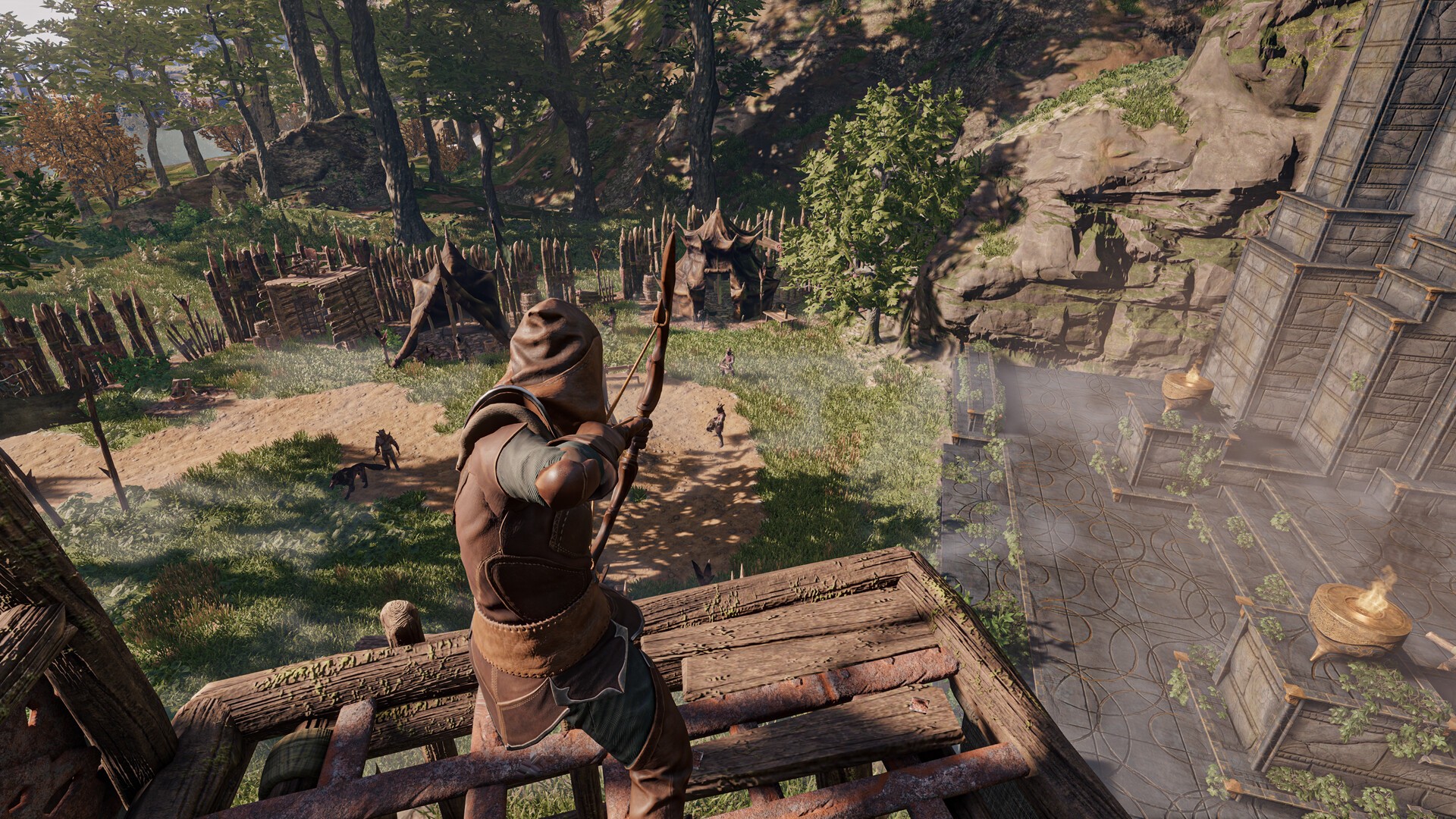
Enshrouded is an open-world survival game with punishing bosses, grand halls and a corrupting fog called the Shroud. It combines action RPG combat with crafting, scavenging and exploration. Beneath the ruins of a lost kingdom, a story of magic, ruin and redemption waits.
Team up with up to 16 friends
A dedicated Enshrouded server holds up to 16 players. Each player builds a role and skills that support the rest of the team. Raid together, gather treasure, and fight the Fell hordes across Embervale. On a 24/7 server, your shared base and farms keep running when the host is offline.
Build, craft, and tune your world
Craft legendary weapons and armor, then build a base block by block with Enshrouded's voxel building. On your own server, you set how hard Embervale fights back with a difficulty preset or custom values. Separate Admin, Friend and Guest permissions stop visitors from rearranging your castle. Full file access manages saves and backups. You are Flameborn. Good luck.
Frequently asked questions
How do I set up an Enshrouded 1.0 dedicated server?
With indifferent broccoli
Running your Enshrouded server is simple.
- Enter your email and password
- Select your plan size and region
- Press the 'Launch 2-Day Free Trial' button
- Enjoy your new server
Without indifferent broccoli
A self-hosted Enshrouded dedicated server takes more steps.
System requirements
An Enshrouded dedicated server needs at least a 4-core CPU at 3.2GHz and 16GB of RAM. 8GB of RAM starts the server, but a growing base uses more. The server also needs 20 to 40GB of free SSD storage, plus space for world backups.
The server software runs only on Windows 10, Windows 11 or Windows Server. On Linux, run it through Wine or Proton. Our open-source Enshrouded server Docker image does this for you.
Installation
Install the server from your Steam library, or install it with SteamCMD. The Enshrouded Dedicated Server tool is free, with app ID 2278520.
For Windows:
steamcmd.exe +force_install_dir C:\SteamCMD\enshrouded_server\ +login anonymous +app_update 2278520 validate +quit
Forward UDP port 15637. Players connect through this query port. Older server builds also use UDP port 15636 for game traffic.
Configuration
The server creates enshrouded_server.json on first start. This file sets the server name, the user group passwords and the difficulty preset. It also sets slotCount, the player limit, up to 16.
Stop the server before you edit the file. The server overwrites changes made while it runs. A single typo resets the file to defaults.
Starting the server
Start the dedicated server from your Steam library. A terminal window opens and shows the server log.
To start the server from the command line, run this in the server directory:
Windows:
enshrouded_server.exe
Keeping it running
After every Enshrouded patch, stop the server and back up your save. Then update the server through SteamCMD and start it again. Your friends wait to play until you finish.